


Do you like Japanese manga comics? Japanese manga sometimes uses special effects like this.
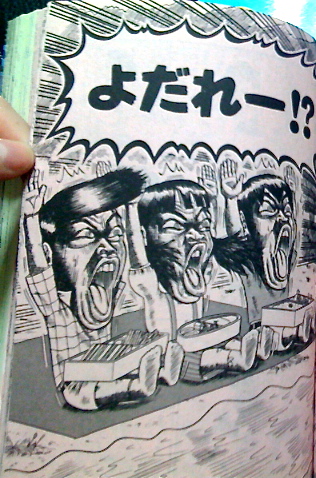
Action lines, big and bold letters. So dynamic!!
I found two funny iPhone apps.
1) Shuchu-sen
2) Bizarre Comic Photo
When you use both of these, you can process your photos with exciting effects like Japanese manga.
Let’s try with this photo.
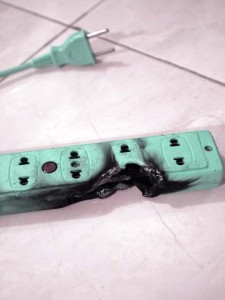
→My extension cord got burnt with a flame a few days ago. ( ̄Д ̄;)
【Shuchu-sen】
1) Select a photo.
2) Shuchu-sen app places “action lines” into your photo.
3) Tap, slide and pinch to adjust and customize the lines.
4) Save the photo.
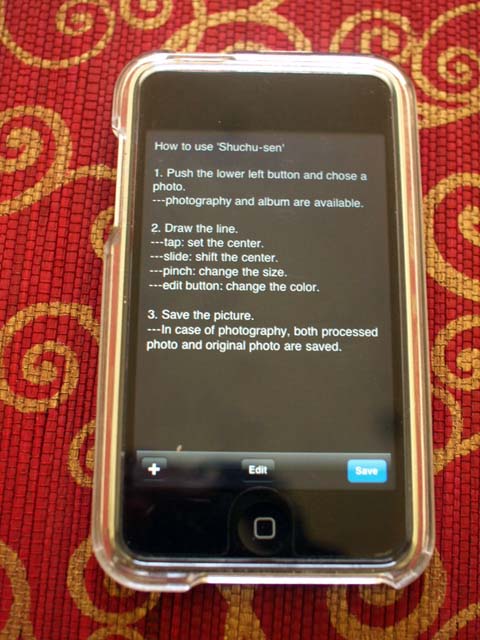
That’s it☆
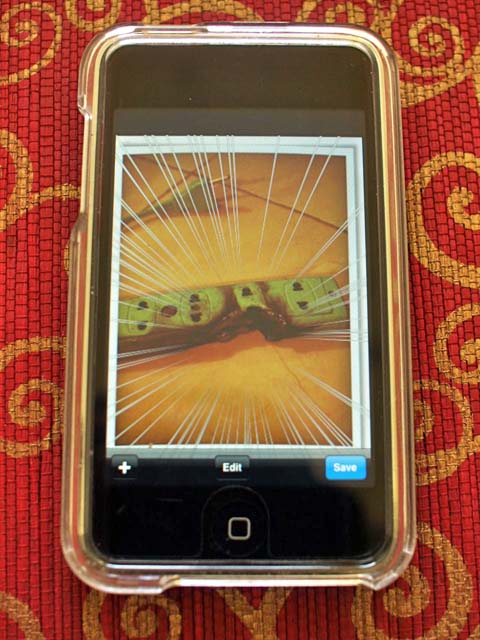
Let’s go to the next app.
【Bizarre Comic Photo】
This app places Japanese onomatopoeia into your photos.
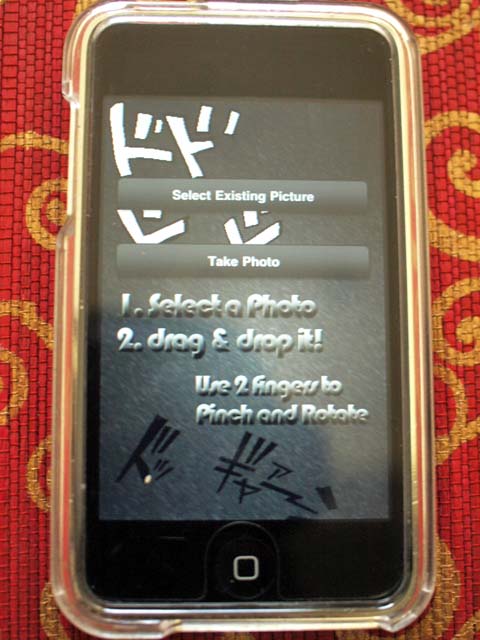
1) Select a photo. (I chose the photo I used with Shuchu-sen)
2) Select letters or short words from the menu.
3) Drag & drop the writing into the photo
4) Adjust the angle, size and transparency of the letters.
Ta-Daa !!ヽ(^ ∇^* )ツ
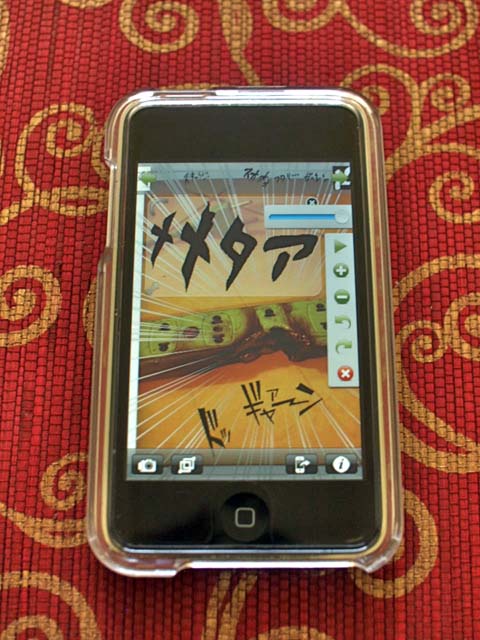
Photos which are ordinarily nothing special can become very unusual and stylish!
Try them 😉

You should follow me on Twitter.


![[Photoblog] Praying for the Growth of Bamboo](http://www.japanstyle.info/wp-content/uploads/2012/07/20120720_photoblog_praying-for-the-growth-of-bamboos-65x65.jpg)
![[Photoblog] Sand Shower](http://www.japanstyle.info/wp-content/uploads/2012/02/20120220_photoblog_sand-shower-65x65.jpg)
![[Photoblog] Goldfish Scooping♪](http://www.japanstyle.info/wp-content/uploads/2013/09/20130829_photoblog_golden-fish-scooping-65x65.jpg)


Recent Comments